
Best HRMS Features Every Company Should Look For
Discover the must-have HRMS software features every company needs. From payroll and attendance to self-service and HR automation, learn how to choose the right HR system for your business.
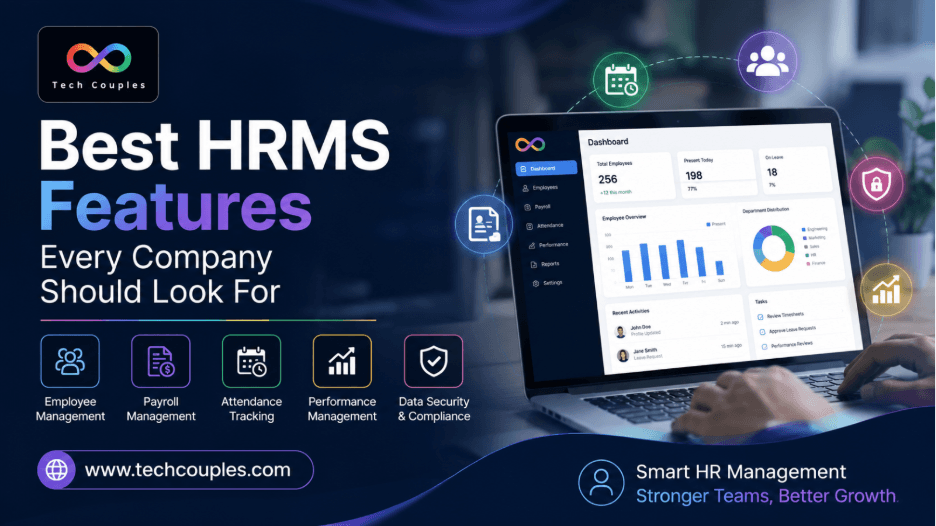
Managing employees involves much more than keeping attendance records and processing salaries. As companies grow, HR teams must handle recruitment, onboarding, payroll, leave, performance, employee documents, and reporting. This is where HRMS software features can make a real difference. A good Human Resource Management System brings these tasks together in one place, helping HR teams save time, reduce manual errors, and give employees a better experience.
However, choosing an HRMS should not be based only on price or the number of features listed by a software provider. Companies should look for practical tools that solve everyday HR problems and can grow with the business.
What Are HRMS Software Features?
HRMS software features are the tools and functions included in a Human Resource Management System to manage different employee-related activities.
Instead of using separate spreadsheets, emails, attendance systems, and payroll tools, an HRMS allows businesses to manage important HR processes from a central platform.
The right system can help HR professionals automate repetitive work, improve data accuracy, maintain employee records, and make faster decisions.
12 Must-Have HRMS Features for Every Company
Every business has different HR requirements, but some must have HRMS features that are useful for almost every organization.
1. Employee Database Management
An HRMS should provide a central employee database where HR teams can securely manage employee information. Personal details, job roles, joining dates, department information, and employment records can be organized in one place.
2. Payroll Management
Payroll is one of the most important HR processes. A reliable system should help calculate salaries, deductions, bonuses, taxes, and other payroll components accurately.
Automated payroll reduces calculation errors and saves valuable administrative time.
3. Attendance & Time Tracking
Tracking working hours manually can become difficult as a company grows. HRMS attendance tools can record working hours, late arrivals, overtime, and other attendance information.
This makes attendance management more transparent for both HR teams and employees.
4. Leave Management
Employees should be able to view their leave balance and submit leave requests easily. HR managers can then review and approve requests from the same system.
A good leave management feature also keeps records updated automatically.
5. Employee Self-Service
Employee self-service gives employees direct access to important HR information. They may be able to update personal details, download documents, check pay slips, apply for leave, or view attendance records.
This reduces unnecessary back-and-forth between employees and HR.
6. Recruitment & Onboarding
Modern HR software should support the hiring process from job applications to employee onboarding. Useful HRMS recruitment features can help manage candidate information, interview stages, job openings, and onboarding tasks.
A smooth onboarding process also helps new employees become productive faster.
7. Performance Management
Regular performance reviews are important for employee development. HRMS performance management tools can help organizations set goals, track progress, conduct reviews, and record feedback.
This creates a more structured approach to employee performance.
8. HR Analytics & Reporting
HR teams need accurate information to make better decisions. HRMS reporting tools can provide insights into attendance, employee turnover, payroll, recruitment, leave, and workforce trends.
Clear reports turn employee data into useful business information.
9. Mobile HRMS
Employees and managers are not always working from a desktop. Mobile access allows users to check attendance, apply for leave, approve requests, and access important HR information from their phones.
For remote and hybrid teams, mobile access can be especially useful.
10. Document Management
Employee documents should be easy to store, find, and manage. An HRMS can provide a central location for employment documents, policies, certificates, pay slips, and other important records.
A well-organized document system also reduces the risk of losing important information.
11. Employee Engagement
HR is not only about administration. Employee engagement tools can support surveys, feedback, recognition, communication, and other initiatives that help organizations understand employee needs.
Better engagement can contribute to a healthier workplace culture.
12. HR Automation
Automation is one of the biggest benefits of modern HR technology. Repetitive tasks such as notifications, approval workflows, attendance calculations, reporting, and employee updates can be automated.
This allows HR professionals to spend more time on people-focused and strategic activities.
Essential HRMS Features for Small Businesses
Small businesses often have limited HR resources, so they need software that is simple, affordable, and easy to manage.
Some essential HRMS features for small businesses include:
| HRMS Feature | Why It Matters |
|---|---|
| Employee Database | Keeps employee information organized |
| Payroll | Reduces manual salary calculations |
| Attendance | Tracks working hours accurately |
| Leave Management | Simplifies leave requests and approvals |
| Employee Self-Service | Reduces routine HR queries |
| Reporting | Helps managers understand workforce data |
| Document Management | Keeps important records accessible |
| Automation | Saves time on repetitive tasks |
Small businesses do not necessarily need every advanced feature from day one. The better approach is to choose software that solves current problems while allowing room for future growth.
How to Choose the Right HRMS Software
Before selecting an HRMS, companies should first identify their biggest HR challenges. Is payroll taking too much time? Are attendance records inconsistent? Are employee documents difficult to find? Or is recruitment becoming difficult to manage?
Once these challenges are clear, compare different HRMS platforms based on their features, ease of use, security, integrations, scalability, customer support, and overall cost.
It is also worth requesting a demo before making a decision. A practical demonstration can show whether the software actually fits your HR workflow.
Businesses looking for professional technology solutions can explore techcouples for further information.
HRMS Features Checklist Before Buying
Use this simple HRMS features checklist before finalizing your software:
- — Employee database: Can employee information be managed centrally?
- — Payroll: Does it support accurate and automated payroll processing?
- — Attendance: Can it track working hours and attendance?
- — Leave: Can employees submit and managers approve leave online?
- — Self-service: Can employees access their own HR information?
- — Recruitment: Does it support hiring and onboarding workflows?
- — Performance: Can managers track goals and employee performance?
- — Reporting: Does it provide useful HR reports and analytics?
- — Mobile access: Can employees use important functions on mobile devices?
- — Security: Are employee records protected with appropriate access controls?
- — Scalability: Can the system support the company's future growth?
- — Support: Is reliable technical and customer support available?
Choosing an HRMS is a long-term business decision, so functionality should always be considered alongside security, usability, scalability, and support.
Conclusion
The right HRMS can transform HR from a largely administrative function into a more organized and data-driven part of the business. Companies should focus on HRMS software features that solve real workplace problems, reduce repetitive tasks, improve accuracy, and support employees throughout their journey with the organization. The best system is not necessarily the one with the longest feature list - it is the one that fits the company's needs today and can continue supporting its growth tomorrow.
Frequently Asked Questions
1. What are the most important HRMS features?
Employee management, payroll, attendance, leave management, employee self-service, recruitment, performance management, reporting, document management, and automation are among the most important features.
2. Is HRMS useful for small businesses?
Yes. An HRMS can help small businesses reduce manual HR work, organise employee records, simplify payroll, and manage attendance and leave more efficiently.
3. Can HRMS software automate payroll?
Many HRMS platforms include payroll automation that can help calculate salaries, deductions, and other payroll components while reducing repetitive manual work.
4. What should companies check before buying HRMS software?
Companies should evaluate features, security, ease of use, integrations, scalability, pricing, customer support, and whether the software fits their existing HR processes.
5. How can HRMS improve employee experience?
Features such as employee self-service, mobile access, online leave requests, easy access to pay slips, and transparent attendance records can make common HR tasks faster and more convenient for employees.
Need an engineering partner?
Let's architect your next digital system.